


The company Synchronize delivers the top-tier history, culture, and science lectures, and we relaunched a platform for them. Yet, there were two more tasks to do:
So, we started to look for a technology to launch an iOS app without developing it from scratch.
Side note: If you’re ready to spend a small fortune and a ton of time on development, the native app is a good choice. Otherwise, it’s possible to use alternatives — that’s what we’re going to talk about.
Synchronize's base is video content. So, regardless of the technology, the video-watching experience should be seamless. That’s why we need:
So, there're several technologies to launch an iOS based on web code.
PWA and PWA with a native wrapper didn't meet our expectations: in a PWA installed on iOS, Picture in Picture doesn't work even though it's okay on the web. Plus it’s hard to build reliable offline viewing in both technologies.
We didn’t consider True Native Apps because of the high development cost. So, as a result, we were choosing between two options: Cross-Platform SDK and Hybrid App.
When it comes to Cross-Platform SDK, Flutter and React Native are straightforward choices. They come with lots of ready-made modules, and their trade-offs are well-known. You pick a framework, hire developers, and build a cross-platform app. But we kept coming back to one idea: “What if we could turn the web platform into the first version of the app?” The benefits of this approach are significant: an app can be maintained by frontend developers and every new feature goes live on the web and iOS at the same time, later on — on Android as well.
By contrast, Hybrid App is a niche technology with significant risks. Is it worth playing this game? We discussed with the client, evaluated pros and cons, built a technical demo, showcasing the key features, and decided — no guts, no glory, let’s try CapacitorJS.
Spoiler alert: we made it. So now let’s talk about the challenges we encountered along the way.
CapacitorJS looks well: a modern design, a motto “cross-platform native runtime for web apps”, and an impressive list of official plugins. The GitHub repository is suspiciously clean — few open issues, regular releases, and active maintainers. All of these create the illusion of a mature product. Yet, in reality the official plugins cover only basic functionality: camera, storage, and push notifications. For everything else, you have to write code.
The small number of issues on GitHub is easy to explain: few people use CapacitorJS in production without the full Ionic ecosystem, and those who do just patch things with hacks and don’t document them. A slick landing page sells the dream of cross-platform development, but it omits the fact that CapacitorJS is just a thin wrapper over a WebView.
CapacitorJS is marketed as a replacement for Cordova and a bridge between web and native. In reality, it’s just a WebView with minimal wiring. To get the bounce effect on iOS, you have to dive into native code: self.bridge?.webView?.scrollView.bounces = true. Supporting safe areas requires CSS hacks and prayers for compatibility across all devices.
Out of the box WebView isn’t production-ready as each platform requires its own setup, with some of it not documented. As a result, developing a web app turns into constant switching between Xcode and Android Studio to fix platform-specific quirks.
The command “npx cap add ios” gives the illusion of simplicity. However, the reality is that CocoaPods is still required if you follow the official guide. Only one Xcode target is created by default, but development needs a separate one, so you need to synchronize them manually.
CapacitorJS can manage app permissions on its own, but in its plugins you still have to edit the Info.plist by hand. The Ionic VSCode extension generates icons, creating extra large files when you need just five icons. Plus, it’s absurd to use Ionic utilities when the project has only one core. In the end, you still have to load resources directly into Xcode, just like in regular native development.
A simple bottom tab bar turned into 1,500 lines of Swift code. CapacitorJS lives in UIKit, while modern iOS development is all about SwiftUI. Integration requires a UIHostingController, manual management of constraints, and the hope that the next iOS update doesn’t break the whole setup.
A fullscreen Splash Screen with edge-to-edge design becomes a real puzzle: black bars under the status bar, jumping content when the keyboard appears, or conflicts with system gestures. The final solution? A black div under the iOS status bar… and a prayer that Apple doesn’t change the status bar height in the next version of iOS.
The CapacitorJS plugin ecosystem feels like an archaeological dig. Most community plugins are either abandoned or promise “iOS support is coming soon” (spoiler: it’s not coming). Descriptions rarely specify which platforms are supported — you only find out after installation when you get the notification “Plugin isn’t implemented on iOS.”
Official plugins create the illusion of reliability, but the same setting behaves differently on iOS and Android. Firstly, documentation quietly omits that most options work only on Android. Secondly, even if basic functionality is fine, any customization requires hacks or a fork. The truth is that it’s often easier to write your own plugin from scratch than to fix someone else’s.
On paper, the plugin API looks elegant: send a message, get a response. In practice, it’s just a clunky event bus where any asynchrony turns into callback hell. Documentation shows “Hello, World!” examples, but real logic doesn’t fit that model.
Race conditions become a way of life. A request goes out from JS, native code executes, the user navigates to another screen — and the callback is lost. Debugging involves sprinkling console.log statements in JS and checking native logs in Swift, then trying to match timestamps to figure out where it all went wrong.
Each platform lives by its own rules. For example, Android shrinks the WebView when the keyboard appears, breaking layouts that use 100svh. Fixing it is a four-step process: disable WebView resizing, add a keyboard listener via the Capacitor API, manually adjust padding, and fix the broken scroll-to-input behavior.
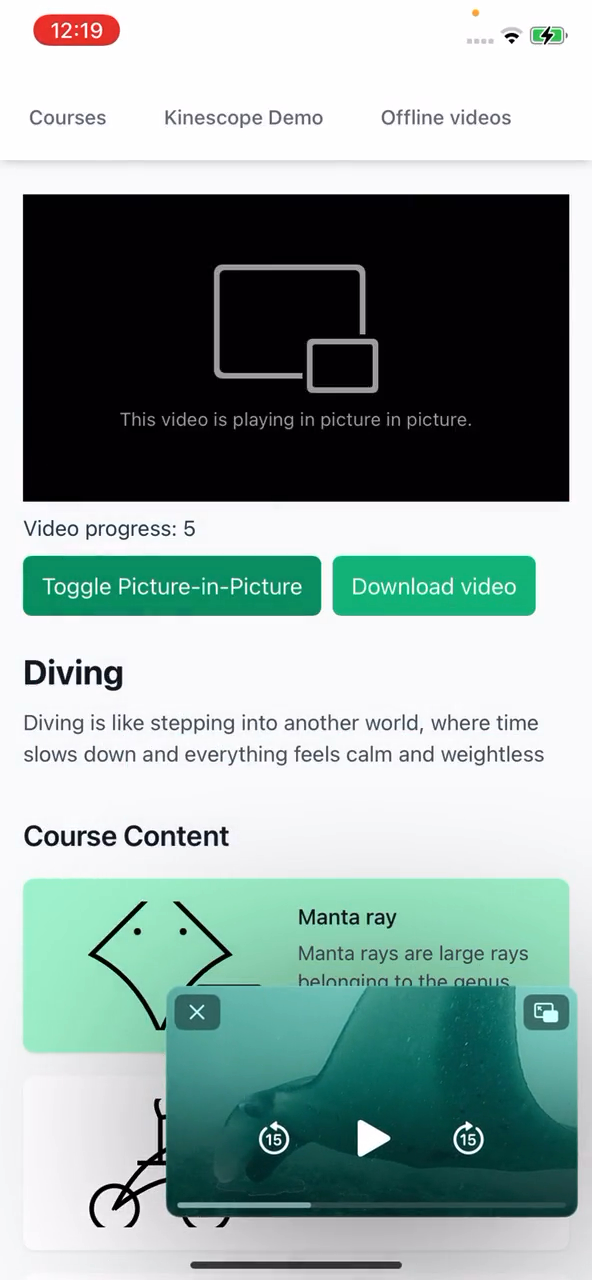
On iOS, there are no plugins for working with video players, so you have to write code in AVFoundation for HLS streaming, create a native player in AVKit for offline playback, and configure Xcode flags for picture-in-picture and background playback. This solution can’t be ported to Android — it has a completely different architecture. CapacitorJS promises cross-platform compatibility, but in reality, you end up with two different apps sharing the same HTML interface.
Safari Web Inspector for iOS only works on Mac, while Chrome DevTools for Android loses breakpoints after a reload. The native side is debugged separately in Xcode or Android Studio, and linking the two contexts is nearly impossible.
Bugs that don’t show up in the simulator but appear on real devices turn into a detective story. The simulator works perfectly, but the iPhone crashes. Logs are only accessible when the device is connected via cable to Mac. Your main debugging tools are alert() and a prayer.
After going through all the circles of hell, tons of native code, and countless bug fixes, the last challenge is the App Store. Experts warned that apps built with web technologies might not get through at all, since they’re often used by online casinos, but we didn’t run into that issue.
Our only real challenge with Apple was their strict policy on payments outside the App Store (not In-App Purchases). The wording of Apple’s guidelines is so vague that it can be interpreted in almost any way.
For example, guideline 3.1.3(a) promises the possibility of building an app without In-App Purchases, but only for free content. In practice, it’s a quest with secret rules revealed through trial and error. More than 20 reviews, dozens of rejections for being “not enough of a reader app,” even though we had stripped out over half of it. It’s not enough to just remove IAP — proper authentication, disabled registration, and “magic phrases” in the description are required, too.
After long back-and-forths with Apple’s review team, we scheduled a call, and a very friendly Apple engineer explained what we could and couldn’t do. As soon as we implemented his recommendations, the app was approved immediately.
Got money and time? Go full native. Looking to save a bit? Use React Native. Or Flutter, if that’s your thing.
Have you already had a solid website and a seasoned developer? You can create an app on CapacitorJS in just a couple of days. But don’t try to shoehorn native navigation or other native components into a WebView app — it’s a nightmare. In our case, the developer was curious and tackled it purely out of enthusiasm. We got lucky, but don’t want to repeat that experiment!